- There are no more items in your cart
- Shipping
-
Included taxes: €0.00
- Total €0.00
Home
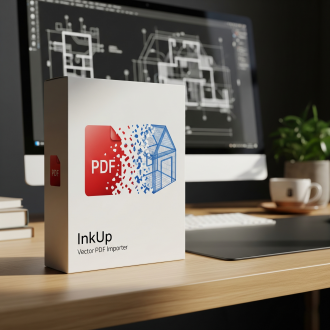
InkUp - Importateur PDF Vectoriel pour SketchUp
InkUp - Vector PDF Importer for SketchUp
Stop tracing. Start modeling. Transform PDF floor plans into clean 3D geometry in seconds.
🤯 The Problem
Every SketchUp user knows the struggle: you receive a PDF plan, import it as a blurry image, and spend the next 2 hours manually tracing over lines to get usable geometry. It's tedious, inaccurate, and a waste of your skills.
🚀 The Solution: InkUp
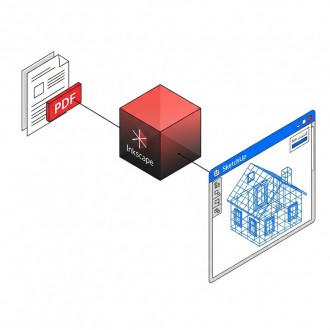
InkUp is the missing link between your PDF documents and SketchUp. It acts as a smart bridge using the powerful Inkscape engine to convert vector PDFs directly into native SketchUp Edges and Faces.
No more pixels. No more tracing. Just import and Extrude.
✨ Key Features
📐 Real Vector Import
Don't settle for images. InkUp retrieves the actual vector data (DXF) from the PDF. You get crisp lines, arcs, and circles that are ready for the Push/Pull tool immediately.
📑 Smart Page Selector
Working with a 50-page architectural dossier? InkUp analyzes the file and lets you choose exactly which page number to import.
🛡️ Crash-Proof "Deep Ungroup"
PDFs often contain nested blocks and complex groups that crash standard importers. InkUp features a unique "Deep Ungroup" algorithm that intelligently explodes and cleans up complex hierarchy before importing.
🔒 Safe Workflow
Your import is automatically encapsulated in a dedicated Group (prefixed with @@) so it never merges accidentally with your existing model geometry.
📏 3-Click Scaling
Since the import is a clean Group, scaling is effortless. Just enter the group, use the Tape Measure tool on a known dimension, type the real value, and resize. Done.
🛠️ How it works
-
Click the InkUp icon in SketchUp.
-
Select your PDF file.
-
Enter the page number you need.
-
Done! Your plan is in SketchUp, ready to use.
📋 Requirements
-
SketchUp: Pro or Make (2017 to 2024+).
-
OS: Windows 10/11 or macOS.
-
Engine: Requires the free open-source software Inkscape to be installed (the plugin automatically detects it).
📦 What you get
-
The InkUp.rbz plugin file.
-
Lifetime updates for v1.x.
-
A User Manual (English & French).
Save hours of drafting time today with InkUp.


NANO BANANA Bundle STUDIO MOTION RENDER IA
Revolutionize your 3D rendering. No subscriptions required. Turn SketchUp into a full production studio with the Nano Banana Pack. Create 5K photorealistic renders and breathtaking cinematic videos using Google’s AI (Veo & Imagen 3).
-
Pay-as-you-go model: Only pay for what you create.
-
Mac & PC Ready.
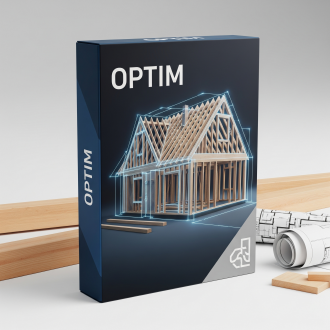
PLANBOIS Animations
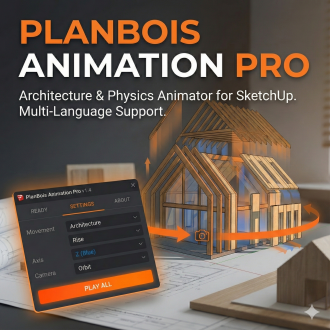
PLANBOIS Animation Pro – Animate your projects in 3 clicks
Short Description
The essential animation tool for architects and woodworkers. Create construction sequences, mechanical movements, and virtual tours with zero technical skills. Video export included.
Detailed Description
Bring your SketchUp models to life instantly with PlanBois Animation Pro. Forget complex rendering software: click, configure, animate.
🚀 KEY FEATURES:
-
"Architecture" Library: Rise Up, Grow, Unfold, Corkscrew...
-
Storytelling (Timeline): Sequence your construction (Floor > Walls > Roof) using the "Delay" setting.
-
Smart Camera: The plugin films the action for you (Orbit, Zoom, Spiral).
-
Video Export: Generate HD image sequences (PNG) for editing (Blender/Premiere compatible).
-
Pro Interface: Modern, dark, and intuitive.
💡 FOR WHOM? Architects, Woodworkers, Interior Designers, Landscapers.
💻 COMPATIBILITY:
-
SketchUp 2017 Make to 2026+.
-
Windows & Mac OS.
-
English, French, Spanish (Auto).